
Seedance 2.5
Seedance 2.5
Edit and extend existing clips in the AI video editor, or generate videos up to 30s with text, images, and up to 50 multimodal references.
Upload a clip and type what to change—swap characters or products, replace backgrounds, remove distractions, or extend scenes in seconds with Novavideo’s online AI video editor and generator.
AI Models
Switch between 7 video sub-models across Seedance and Veo for editing, extending, and generating clips, or create reference images in one AI video editor.
Edit and extend existing clips in the AI video editor, or generate videos up to 30s with text, images, and up to 50 multimodal references.
Use Veo in the AI video editor to create cinematic videos from text and reference images across Lite, Fast, and Quality tiers.

Generate and edit character portraits, product photos, and scene visuals for standalone projects or AI video editor references.
Core Features
Use Novavideo’s AI video editor to create new clips, refine existing footage, and extend scenes with prompts and visual references.
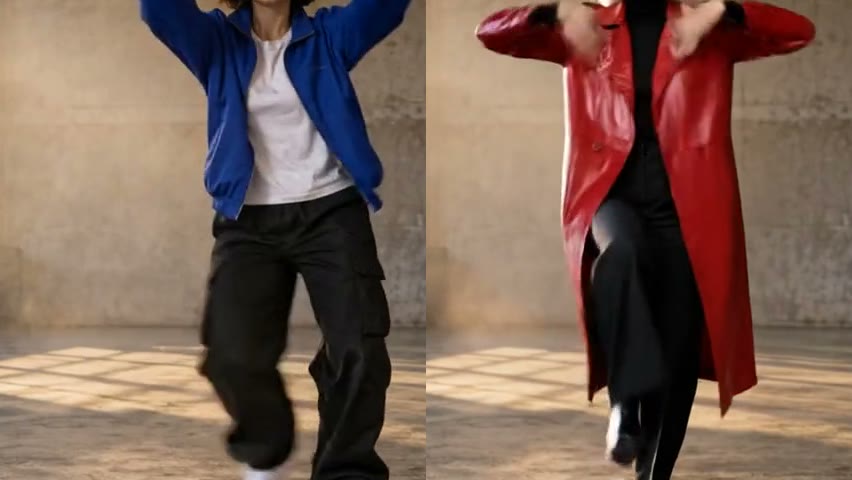
Swap outfits, products, characters, or backgrounds, remove unwanted objects, or relight day into night while keeping original movements and camera motion. Create multiple versions from one clip with Novavideo’s AI video editor.
Original clip: a woman dances in a hall. Replace the blue jacket with a red leather coat; the movement remains unchanged.Edit Videos with AI

Describe what happens after the last frame. Continue the scene in the AI video editor instead of shooting another take.
Opening clip: an archer shoots an arrow. The camera follows the arrow; tiny warriors rush along the shaft.Extend Video

Guide your scene with image, video, and audio references in the AI video editor. Choose a model and mode that support the inputs you need.
Style reference: a Japanese ink-wash painting. Animate a warrior leaping across snow-dusted rooftops as a fan dances behind him.Create with References
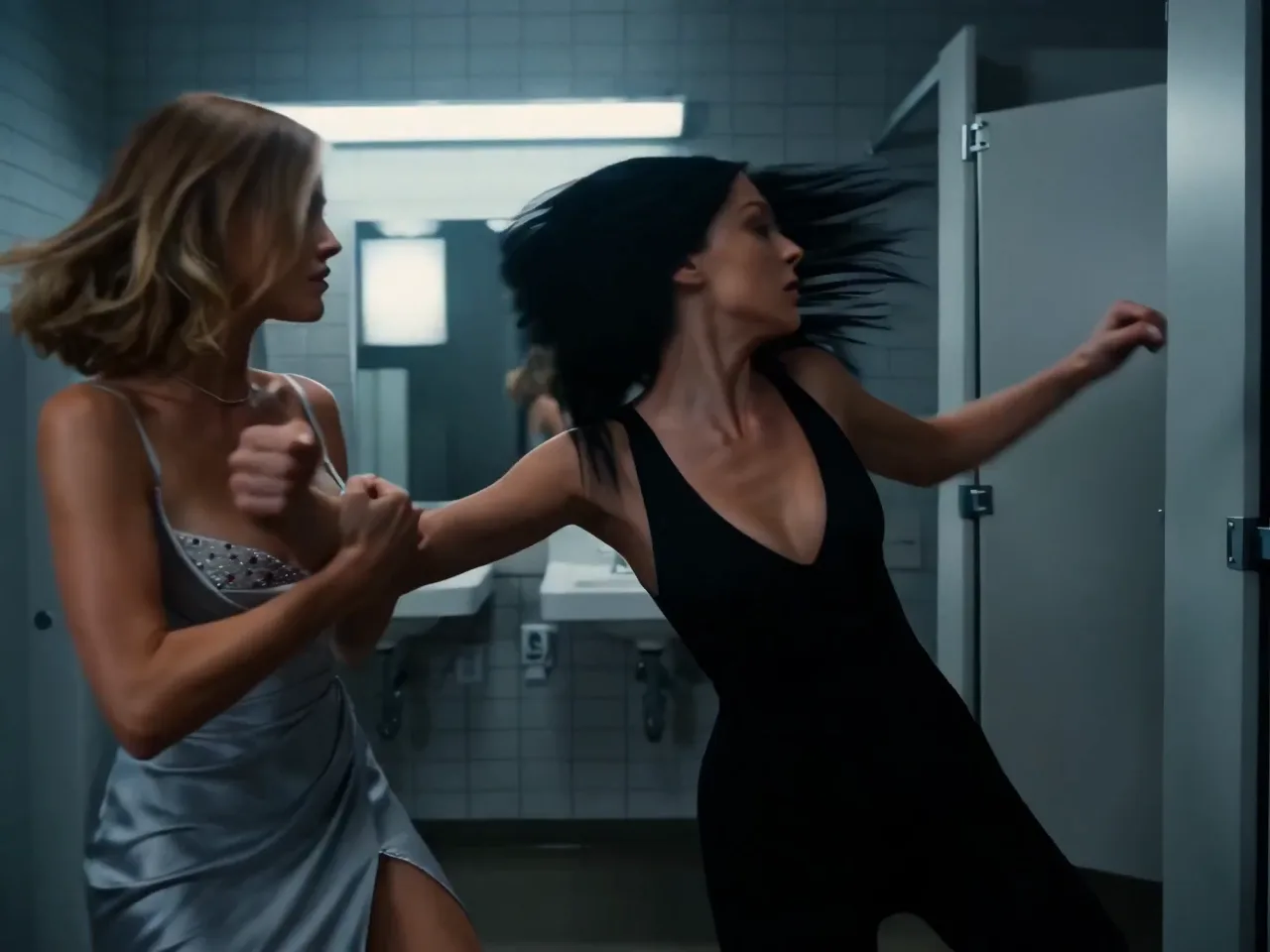
Start with a written idea or animate a still image. Create a clip in the AI video editor, then try editing or extension with a supported model.
Two women face off in a tiled restroom in a cinematic action sequence. Follow their fast exchanges with a moving camera, cool lighting, and natural motion blur.Generate a Video
Why Novavideo
Longer videos, more references, and multiple video models to choose from, all in one AI video editor.

Choose any duration from 4 to 30 seconds in the AI video editor. Give a product demo, an action sequence, or a short scene room to develop in a single generation.
Try Seedance 2.5
Combine up to 30 images, 10 videos, and 10 audio clips in one AI video editor workflow. Use images for looks, videos for motion, and audio for sound, and tag each one with @ so the model knows its role.
Create with References
Switch between 7 sub-models across Seedance and Veo in one AI video editor, including Seedance 2.5, Seedance 2.0 (Mini, Fast, Standard), and Veo 3 (Lite, Fast, Quality). Pick the best match for your speed, budget, and visual quality, with more video models on the way.
Choose a ModelAreas of Application
When is an AI video editor worthwhile? Whenever the footage is good, one detail is off, and a reshoot would take too much effort.

Swap products using a reference photo or change backgrounds in the AI video editor—test multiple A/B ad variations without a reshoot.
Create Ad Versions
Erase background strangers, logos, or clutter in the AI video editor. Prep TikTok, Reels, and Shorts clips without masks or keyframes.
Clean Up Your Clip
Turn daytime shots into night, adjust lighting, or replace people and outfits in the AI video editor while keeping the original motion.
Adjust the LookFAQ
Answers to common questions about using our AI video editor to edit clips with text prompts, swap characters or products, and choose AI models.
Start Creating
Upload an existing clip to edit or extend it with plain-language prompts in our AI video editor, or start from text and reference images—no complex timeline required.
Novavideo is an independent video and image creation platform using third-party AI models. Learn more